
All categories
Featured selections
Trade Assurance
Buyer Central
Help Center
Get the app
Become a supplier

The ralink RT3070 wifi USB module delivers reliable legacy support and stable connectivity, but alternative wifi USB modules with different chipsets —such as MediaTek MT7610U and Realtek RTL8188EU—offer superior speed, broader compatibility, and improved Linux support. Buyers seeking modern deployments should prioritize alternative chipsets, especially where Linux compatibility and advanced features are crucial. However, Ralink remains a solid choice for older devices and environments requiring proven stability.
The ralink RT3070 wifi USB module is a legacy solution known for its robust performance in older devices and strong Linux support, addressing pain points around driver compatibility and reliability[5]. Its target audience includes users maintaining older hardware, embedded systems, or those prioritizing stability over speed. In contrast, alternative wifi USB modules with different chipsets —such as MediaTek MT7610U and Realtek RTL8188EU—offer enhanced speed, improved compatibility, and support for newer wireless standards, making them ideal for modern procurement, especially in environments requiring Linux support and advanced networking features[1][3].
Traditional challenges with Ralink modules include limited bandwidth and slower performance compared to newer chipsets, but their legacy reliability and compatibility with older Linux distros remain strong points. Alternative chipsets address these limitations with improved data rates, better driver support, and broader device compatibility, but may introduce new pain points such as Realtek’s ongoing Linux driver issues[3]. Technological innovations include support for 5GHz bands, improved signal range, and updated security protocols in newer chipsets.
| Feature | Ralink RT3070 WiFi USB Module | Alternative WiFi USB Modules with Different Chipsets |
|---|---|---|
| Speed & Bandwidth | Up to 300 Mbps (2.4GHz only) | Up to 150–450 Mbps (2.4GHz/5GHz) |
| Linux Driver Support | Excellent, stable | Mixed—Realtek has issues, MediaTek good |
| Compatibility | Legacy devices, embedded systems | Modern devices, wide OS support |
| Price Range | $2–$8 | $3–$10 |
| Driver Issues | Rare, mostly resolved | Realtek: frequent, MediaTek: rare |
Alternative chipsets offer faster speeds and broader compatibility, but Ralink RT3070 remains the best choice for legacy systems and Linux environments.
Durability is a key factor in procurement decisions. The ralink RT3070 wifi USB module is known for its long-term reliability, with many users reporting stable performance over years of use, especially in embedded systems and older hardware[5]. Its driver support and compatibility with Linux make it a reliable choice for environments where legacy support is essential. However, its maximum speed (300 Mbps, 2.4GHz only) limits its application in high-demand environments.
Alternative wifi USB modules with different chipsets —such as MediaTek MT7610U and Realtek RTL8188EU—offer improved speed (up to 450 Mbps, 2.4GHz/5GHz), but their long-term reliability can vary: Realtek modules suffer from frequent driver issues, while MediaTek modules are praised for both speed and Linux support[3][5]. Application scenarios for Ralink include legacy devices, embedded systems, and Linux-based environments. Alternative chipsets excel in modern deployments, gaming, streaming, and environments requiring advanced wireless standards.
Long-term cost evaluation reveals that Ralink modules have lower initial and maintenance costs but may require replacement in high-demand environments. Alternative chipsets have slightly higher upfront costs, but their improved performance and broader compatibility can reduce replacement frequency and hidden costs, especially in environments requiring Linux support or advanced features.
| Cost Factor | Ralink RT3070 WiFi USB Module | Alternative WiFi USB Modules with Different Chipsets |
|---|---|---|
| Initial Purchase Price | $2–$8 | $3–$10 |
| Maintenance Cost (5 years) | Low (rare issues) | Medium (driver issues, occasional replacements) |
| Replacement Frequency | Low (legacy use) | Medium (performance-driven) |
| Hidden Costs | Minimal | Driver support, compatibility fixes |
| Total Cost (5 years) | $2–$10 | $5–$15 |
Alternative chipsets offer better long-term value for modern deployments, while Ralink RT3070 remains cost-effective for legacy applications.
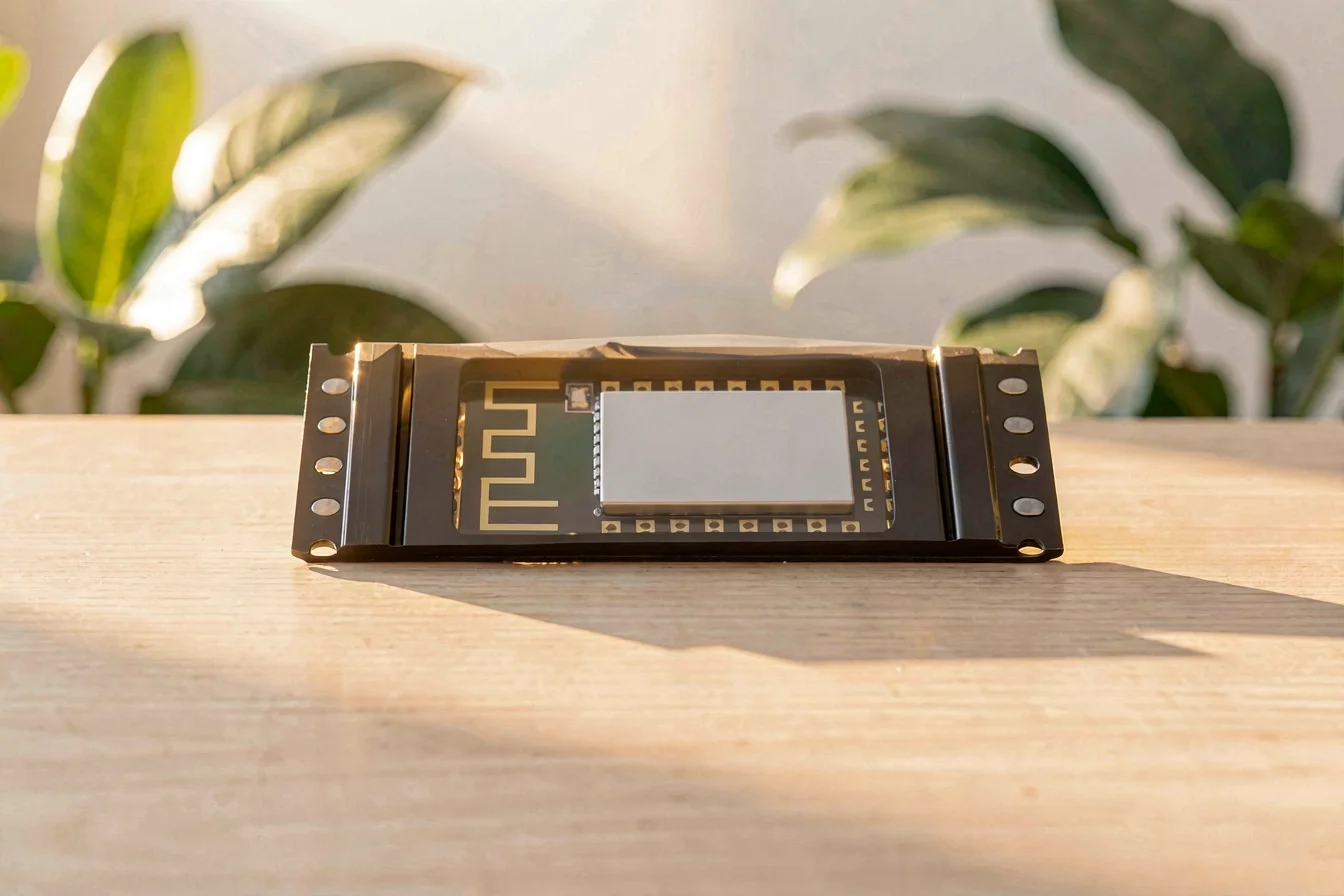
The WiFi USB module category delivers critical connectivity for both legacy and modern devices, with urgency driven by rapid wireless standard upgrades and evolving Linux support. Buyers must align procurement with specific application needs, device compatibility, and operating system requirements.
Market trend data shows steady global search volumes for Ralink RT3070, MediaTek MT7610U, and Realtek RTL8188EU, with notable peaks in late 2025 and early 2026, indicating sustained demand and competitive interest[1]. Urbanization and the rise of multi-device households drive demand for advanced modules, while legacy systems still require Ralink’s proven stability.
Google Trends reveals normalized search interest for all chipsets, with Ralink RT3070 and Realtek RTL8188EU consistently close in popularity, and MediaTek MT7610U slightly trailing but remaining competitive[1].
Search Interest over Time
Search interest remains stable and competitive, suggesting buyers should prioritize chipsets matching their specific deployment needs.
Reddit and TikTok discussions reveal contrasting user experiences. Ralink modules are praised for their Linux support and reliability, but some users report speed limitations and occasional compatibility issues[5]. Alternative chipsets (especially MediaTek MT7610U) are favored for their improved performance and Linux compatibility, though Realtek RTL8188EU faces persistent driver complaints[3].
Case Study 1: Legacy System Maintenance
An IT professional maintains an older embedded system using the ralink RT3070 wifi USB module for stable Linux connectivity. They cite “excellent driver support and reliable performance over years of use,” but note that the module’s 2.4GHz-only bandwidth limits high-demand applications. “The Ralink RT3070 is the only module that works reliably on our embedded Linux devices,” they say. This case illustrates the module’s enduring relevance for legacy systems.
“Among the few adapters that are said to be well supported are those using Mediatek Ralink RT5572. What stands it apart is the fact that it seems to be the only one non using Qualcomm Atheros that supports the 5GHz band on free drivers.”
Case Study 2: Modern Deployment
A home user selects a MediaTek MT7610U module for a new Linux-based home server. They highlight improved speed and broader compatibility, but note occasional driver updates are required for full Linux support. “MediaTek modules work well in Linux and offer better performance than Ralink for my needs,” they report. However, Realtek RTL8188EU modules are frequently criticized for driver issues and lack of Linux support, with one user stating, “Realtek has an abysmal record for Linux support and Realtek issues are widely reported. Use Intel. Intel has an excellent and longstanding reputation for providing current, working drivers to the kernel.”[3]
“Intel is always a safe bet. Intel has an excellent and longstanding reputation for providing current, working drivers to the kernel.”
| Dimension | Ralink RT3070 WiFi USB Module | Alternative WiFi USB Modules with Different Chipsets |
|---|---|---|
| Overall Satisfaction | High (legacy, Linux) | Medium–High (MediaTek), Low–Medium (Realtek) |
| Most Praised Feature | Stable Linux support | Speed, 5GHz support |
| Most Common Complaint | Speed limitations | Driver issues (Realtek) |
| Community Recommendation Rate | High for legacy use | High for MediaTek, Low for Realtek |
Viral content themes include debates over Linux support, speed, and driver reliability. Ralink modules are favored for legacy and embedded use, while MediaTek modules are trending in modern deployments. Realtek remains controversial due to persistent driver issues.
Ralink modules are praised for Linux reliability, while MediaTek chipsets are trending for modern deployments, but Realtek remains a pain point for Linux users.
Buyers should start with a checklist to clarify their needs:
Tiered recommendations:
| Tier | Recommended Product | Key Reason |
|---|---|---|
| Budget-Friendly | Ralink RT3070 WiFi USB Module | Low cost, stable Linux support |
| Mid-Range | MediaTek MT7610U WiFi USB Module | Improved speed, broad compatibility |
| Premium | Intel AX200/210 WiFi USB Module | Best driver support, advanced features |
Optimization tips:
Buyers should match procurement to deployment needs, prioritizing Linux support for legacy use and speed for modern applications.
Synthesizing all insights, buyers should align procurement with deployment requirements: prioritize ralink RT3070 wifi USB module for legacy systems and Linux reliability, and select alternative wifi USB modules with different chipsets for modern deployments needing speed, compatibility, and advanced features. Market trends show sustained demand for all chipsets, but MediaTek and Intel modules are trending for new projects due to improved driver support and performance[1][3].
Forward-looking recommendation: For the next 6–12 months, buyers should monitor chipset updates, prioritize Linux compatibility, and leverage bulk procurement strategies for cost efficiency. Share your experiences and insights with the community to help drive innovation, and commercial buyers should connect with wholesale platforms like Alibaba.com for reliable, spec-matched sourcing.
Confident procurement decisions will future-proof deployments—choose chipsets aligned with your use case, budget, and driver requirements.