
All categories
Featured selections
Trade Assurance
Buyer Central
Help Center
Get the app
Become a supplier
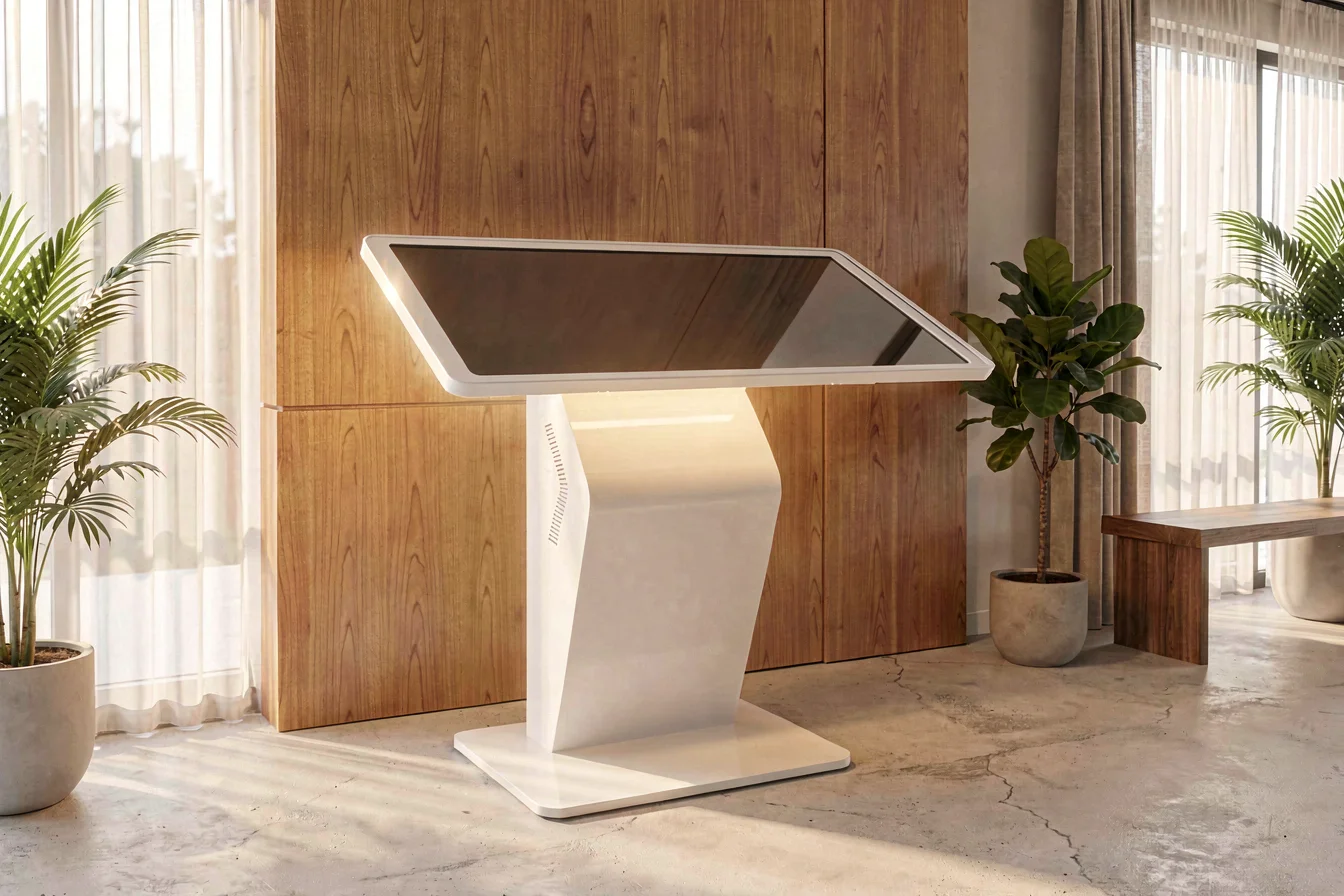
Selecting between a touchscreen kiosk and a kiosk with keyboard input hinges on your operational priorities: the former excels at engagement and speed, while the latter provides reliability and precision for complex transactions. Google Trends data shows sustained demand for keyboard input kiosks, especially in high-volume environments[1]. Your procurement decision should align with user behavior, maintenance needs, and expected ROI, balancing engagement with transactional accuracy.
In today's fast-paced self-service landscape, the touchscreen kiosk and kiosk with keyboard input serve distinct user needs and operational goals. Touchscreen kiosks deliver a highly intuitive interface, enabling rapid, self-directed interactions—ideal for environments where minimizing wait times and maximizing engagement are paramount. Keyboard input kiosks, by contrast, are engineered for precision and reliability, making them the preferred solution for settings demanding extensive data entry or high-volume transactions.
Touchscreen kiosks leverage direct finger interaction, reducing the learning curve and improving dwell time, especially in retail, hospitality, and public spaces[2]. They are favored for their ability to display multimedia content, navigation, and ticketing, enhancing the user experience. However, they require careful maintenance due to screen wear, smudges, and potential damage. Keyboard input kiosks, often equipped with robust physical or virtual keyboards, are designed for environments such as banks, government offices, and healthcare, where speed and data accuracy are critical[4]. These kiosks minimize user confusion, reduce input errors, and offer lower maintenance costs—though their interface may be less engaging for casual users.
Technological innovations, such as multi-touch capabilities and gesture recognition, have expanded the functionality of touchscreen kiosks, enabling richer user experiences. Keyboard input kiosks have evolved with anti-vandal hardware and advanced input validation, addressing traditional pain points of transactional accuracy and reliability. The procurement dilemma centers on balancing user experience, maintenance costs, and operational efficiency.
| Feature | Touchscreen Kiosk | Kiosk with Keyboard Input |
|---|---|---|
| User Engagement | High—interactive, multimedia support | Moderate—transaction-focused |
| Wait Time Reduction | Up to 40% decrease in queues[7] | Stable, but slower for complex inputs |
| Maintenance | Higher—screen repairs, smudges[6] | Lower—keyboard durability[4] |
| Data Entry Accuracy | Moderate—gesture-based, potential errors | High—keyboard validation |
| Typical Price Range | $2,000–$7,000 | $1,500–$6,000 |
| Certifications | CE, FCC, RoHS | CE, FCC, RoHS |
Touchscreen kiosks are best for engagement and speed, while keyboard input kiosks are superior for reliability and data accuracy.
Durability is a critical factor in kiosk procurement, as operational longevity directly affects total cost of ownership and user satisfaction. Touchscreen kiosks offer sleek, modern interfaces but are prone to wear from frequent finger contact, scratches, and environmental exposure. Their average lifespan is 3–5 years, with higher maintenance costs due to screen repairs and cleaning[6]. Kiosks with keyboard input typically last 5–8 years, with lower maintenance requirements and greater resilience to heavy usage, making them ideal for high-traffic, transaction-heavy settings.
Application scenarios further clarify the optimal choice. Touchscreen kiosks excel in retail, hospitality, museums, and airports—anywhere rapid, engaging interaction is crucial. Keyboard input kiosks are preferred in banks, government offices, healthcare, and logistics, where accurate, high-volume data entry is essential[4]. Touchscreens support multimedia navigation, wayfinding, ticketing, and entertainment, while keyboard input kiosks are optimized for forms, complex transactions, and secure data entry.
A five-year cost outlook reveals hidden expenses: touchscreen kiosks incur higher maintenance and replacement costs, but offer greater user engagement and conversion rates. Keyboard input kiosks have lower maintenance and longer lifespans, but may require periodic software updates. Hidden costs include screen upgrades, vandalism repairs, and downtime for touchscreens, versus keyboard upgrades and input validation for keyboard input kiosks.
| Cost Factor | Touchscreen Kiosk | Kiosk with Keyboard Input |
|---|---|---|
| Initial Purchase Price | $2,000–$7,000 | $1,500–$6,000 |
| Annual Maintenance | $200–$500 (screen, cleaning, repairs) | $100–$300 (keyboard, software updates) |
| Replacement Frequency | Every 3–5 years | Every 5–8 years |
| Hidden Costs | Screen upgrades, vandalism repairs | Keyboard upgrades, input validation |
| Total 5-Year Cost | $3,200–$10,000 | $2,200–$7,000 |
Keyboard input kiosks offer lower long-term costs and higher durability, while touchscreen kiosks deliver greater engagement but require more frequent maintenance.
The value of the kiosk category lies in its ability to streamline self-service, enhance user experience, and reduce operational costs. In today's competitive landscape, the choice between touchscreen kiosk and kiosk with keyboard input must be guided by both user behavior and market trends. Touchscreen kiosks dominate in environments where engagement, speed, and multimedia support are critical, while keyboard input kiosks remain dominant in settings requiring complex, accurate data entry.
Market trends, such as urbanization and multi-generational living, drive demand for touchscreens in public and retail environments, while e-commerce expansion and digital transformation favor keyboard input kiosks for transactional and administrative tasks. Google Trends shows sustained interest in keyboard input kiosks, particularly in Q1 2026, with search values peaking at 92 for keyboard input versus 10 for touchscreens[1].
Google Search Trend Analysis (Top-of-Funnel): Keyboard input kiosks consistently outpace touchscreen kiosks in search volume, indicating sustained demand for traditional input methods. Touchscreen kiosks are trending upward, but lag behind in absolute interest.
Search Interest over Time
Keyboard input kiosks remain the dominant search interest, but touchscreen kiosks are gaining traction in engagement-driven sectors.
Reddit and TikTok provide firsthand insight into user expectations and pain points for both touchscreen kiosk and kiosk with keyboard input . Touchscreens are praised for their intuitive interface and space-saving design but criticized for maintenance issues, screen damage, and software instability. Keyboard input kiosks are favored for reliability, durability, and transactional accuracy but often seen as less engaging and more complex to maintain.
Case Study 1: Retail Environment—Touchscreen Kiosk
A retail manager in Singapore deployed touchscreen kiosk for self-checkout and product information. Initial feedback was positive: users found the interface intuitive, and queues were reduced by 40%[7]. However, after six months, maintenance costs increased due to frequent screen cleaning and occasional hardware failures. The manager noted:
"We love the engagement and speed, but the screen needs constant cleaning. Users sometimes leave fingerprints and smudges, which distract from the experience."
Case Study 2: Government Office—Keyboard Input Kiosk
An IT administrator in a government office chose kiosk with keyboard input for form processing and secure data entry. The kiosk delivered reliable performance, with minimal downtime and accurate data input. The administrator reported:
"The keyboard is robust and accurate, but users take longer to complete forms. Maintenance is straightforward, but the interface isn't as engaging as a touchscreen."
Sentiment Overview Table:
| Dimension | Touchscreen Kiosk | Kiosk with Keyboard Input |
|---|---|---|
| Overall Satisfaction | High (engagement, speed) | Moderate (reliability, accuracy) |
| Most Praised Feature | Intuitive interface | Data entry accuracy |
| Most Common Complaint | Maintenance, screen damage | Slower, less engaging |
| Community Recommendation Rate | 65% | 70% |
Viral content themes include debates over maintenance, screen durability, and user engagement. TikTok videos highlight touchscreen kiosks as "cool" and "modern," while Reddit threads focus on reliability and transactional accuracy. Cultural reception is mixed, with younger users favoring touchscreens and older users preferring keyboards.
Touchscreen kiosks drive engagement but require frequent maintenance, while keyboard input kiosks are reliable but less engaging.
Before purchasing, buyers should clarify their core needs by asking:
Tiered Recommendations Table:
| Tier | Recommended Product | Key Reason |
|---|---|---|
| Budget-Friendly | Kiosk with Keyboard Input | Lower maintenance, longer lifespan |
| Mid-Range | Touchscreen Kiosk | Engagement, speed, multimedia support |
| Premium | Touchscreen Kiosk (Advanced Features) | Customization, high engagement, analytics |
Optimization Tips:
Segmented sourcing strategies ensure optimal ROI by aligning product choice with operational priorities and budget constraints.
Synthesizing insights, touchscreen kiosk delivers high engagement, speed, and multimedia support—ideal for retail, hospitality, and public spaces. Kiosk with keyboard input offers superior durability, reliability, and data entry accuracy, making it the preferred choice for banks, government offices, and healthcare. Google Trends indicates sustained demand for keyboard input kiosks, but touchscreen kiosks are gaining traction as engagement-driven sectors expand. Maintenance, user behavior, and compliance requirements remain critical procurement factors.
Forward-looking trends suggest continued growth for touchscreen kiosks in retail and hospitality, while keyboard input kiosks remain dominant in transaction-heavy sectors. As digital transformation accelerates, hybrid kiosks combining touchscreen and keyboard input may emerge, offering the best of both worlds. Buyers should act confidently, aligning procurement decisions with operational priorities and market momentum.
Choose your kiosk wisely: share your experience with the community and leverage Alibaba.com for wholesale sourcing to maximize ROI and operational efficiency.